Most freelancers' expenses come from bank statements. Fieldfare lets you import CSVs from any bank (Wise, Revolut, HDFC, N26, Mercury, whatever you use) and maps the columns once so every future import from that bank is a one-click operation.
Importing expenses from CSV
This is how most people add expenses. Go to Expenses and click Import CSV. Upload a CSV export from your bank or payment provider.
Column mapping
The first time you import from a new bank, Fieldfare asks you to map the columns: which column is the date, which is the description, which is the amount, which is the currency. Different banks export different formats (Wise puts the date in column A, HDFC puts it in column C) so you tell Fieldfare which is which.
Pick the date format your bank uses (DD/MM/YYYY, YYYY-MM-DD, etc.) and set the default currency for this source. Save the mapping with a descriptive name like "Wise USD" or "HDFC Savings".
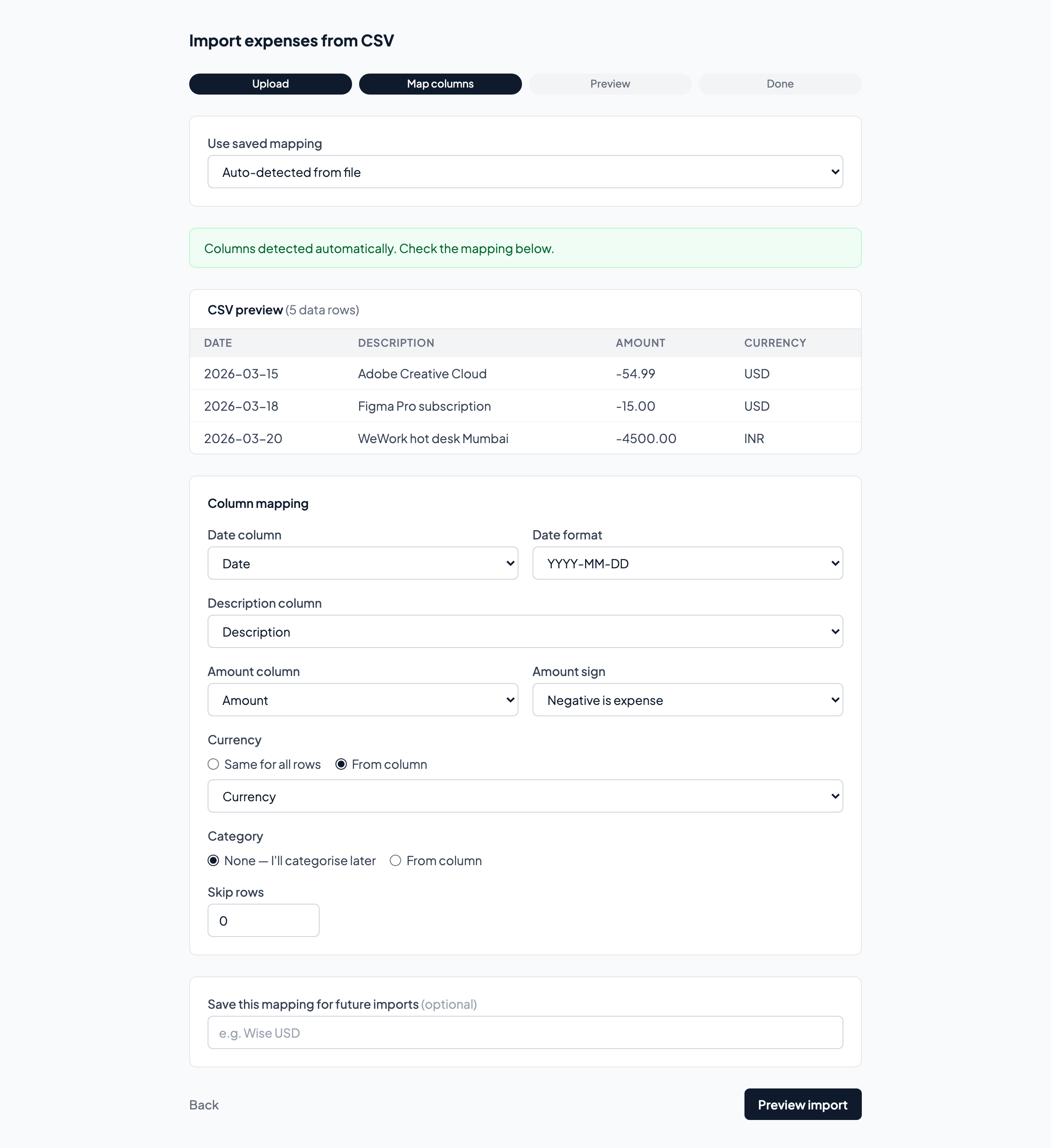
Next time you upload a CSV from the same bank, Fieldfare applies the saved mapping automatically. No re-mapping, no fiddling with columns. Just upload and go.
Preview and categories
Before importing, you see a preview of every row with the parsed date, description, amount, and a suggested category. Review the list, fix any miscategorised rows, and confirm the import.
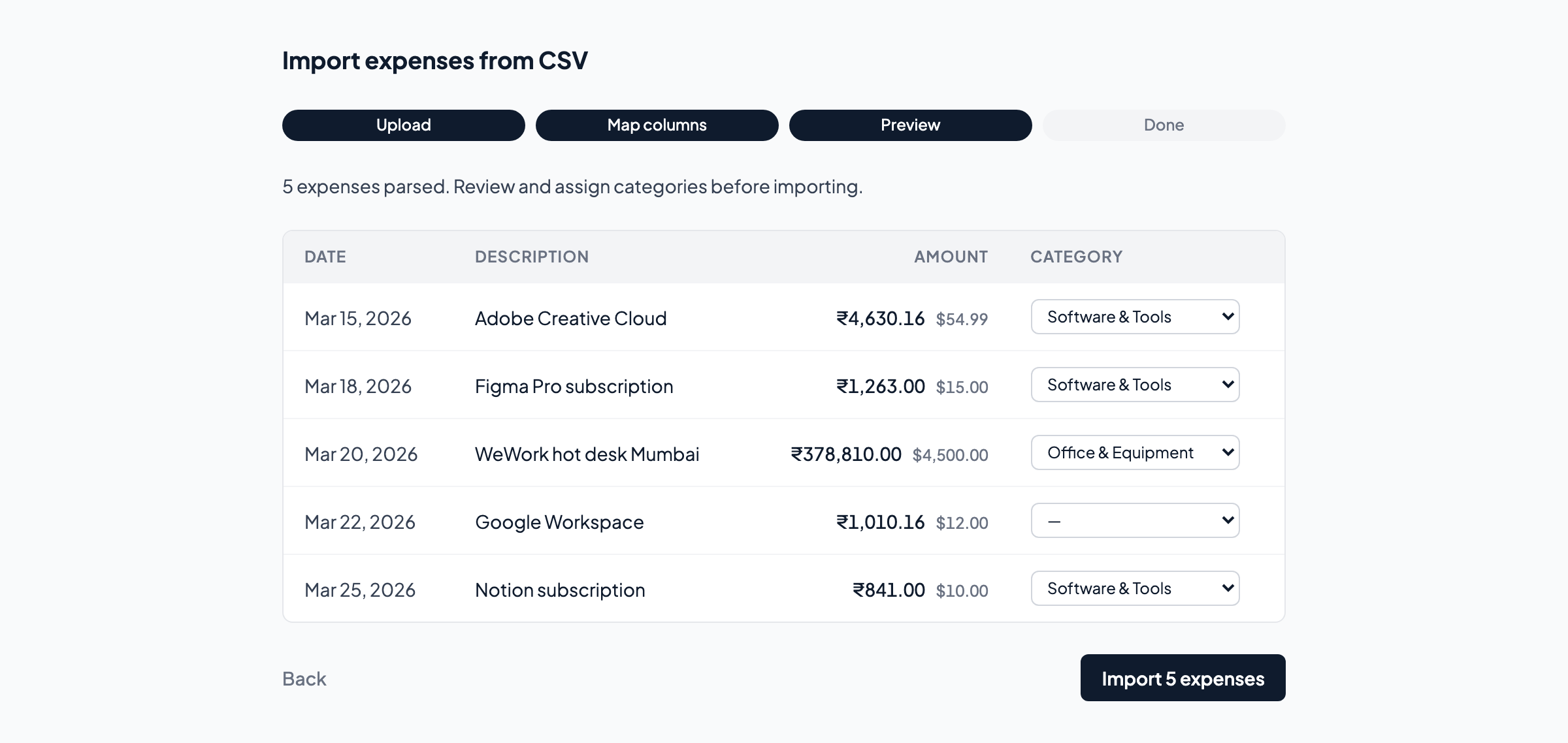
Duplicate detection runs automatically. If you re-upload a CSV that overlaps with a previous import, Fieldfare skips rows that already exist (matched by date, amount, currency, and description). No double-counting.
Category propagation
This is one of Fieldfare's most useful features, and it's surprisingly simple. No AI, no machine learning. Just pattern matching against your own categorisation history.
When you categorise "FIGMA INC." as Software & Tools, every future Figma charge auto-categorises the same way. The matching handles common variations: "Figma Inc", "FIGMA INC.", "figma inc" all resolve to the same merchant. It also strips noise like transaction prefixes ("CARD PAYMENT TO"), corporate suffixes ("LLC", "LTD"), and trailing reference numbers.
First import: mostly manual categorisation. Second import: some auto-categorised. By your third or fourth import, 80% of expenses categorise themselves. It gets better the more you use it.
Adding expenses manually
For one-off expenses that aren't in a bank statement (cash purchases, personal card charges you want to track), use the quick-add form. Enter the amount, currency, date, category, and a description.
Categories
Fieldfare comes with 9 default categories: Software & Tools, Travel, Office & Equipment, Professional Services, Subscriptions, Marketing, Education & Training, Bank Fees & FX Costs, and Other. Add custom categories anytime from the expense list or during CSV import.
Dual amounts
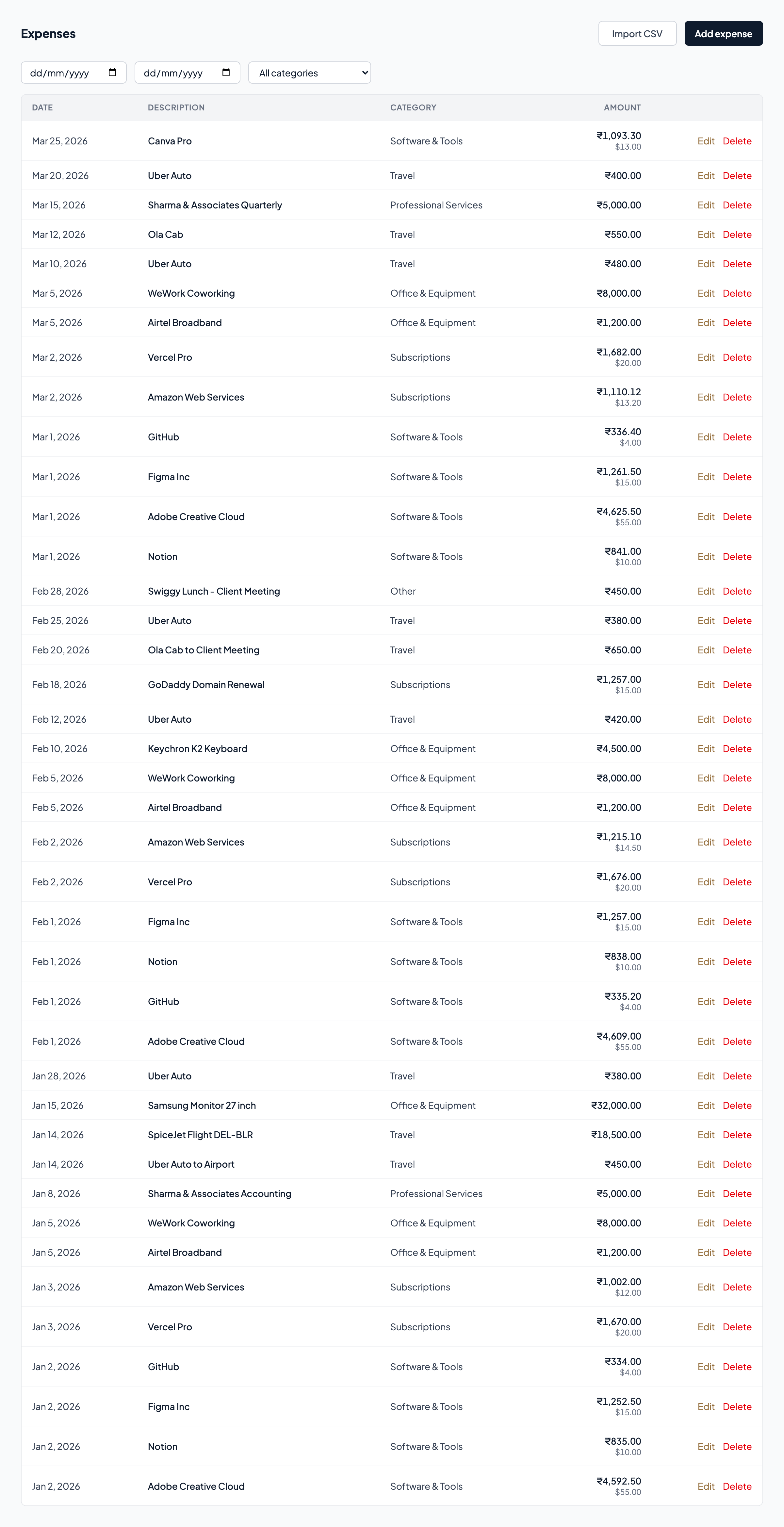
Every expense stores two amounts: the original currency amount and the equivalent in your home currency, converted at that day's exchange rate. Your P&L always shows home currency totals, but the original amount is preserved for your records. If you paid $54.99 for Adobe Creative Cloud on a day when USD/INR was 83.50, you'll see both $54.99 and ₹4,591.67 in your expense list.