Each client in Fieldfare has a currency and payment terms. Set them once, and every invoice to that client inherits them automatically. No re-entering the same details on every invoice.
Adding a client
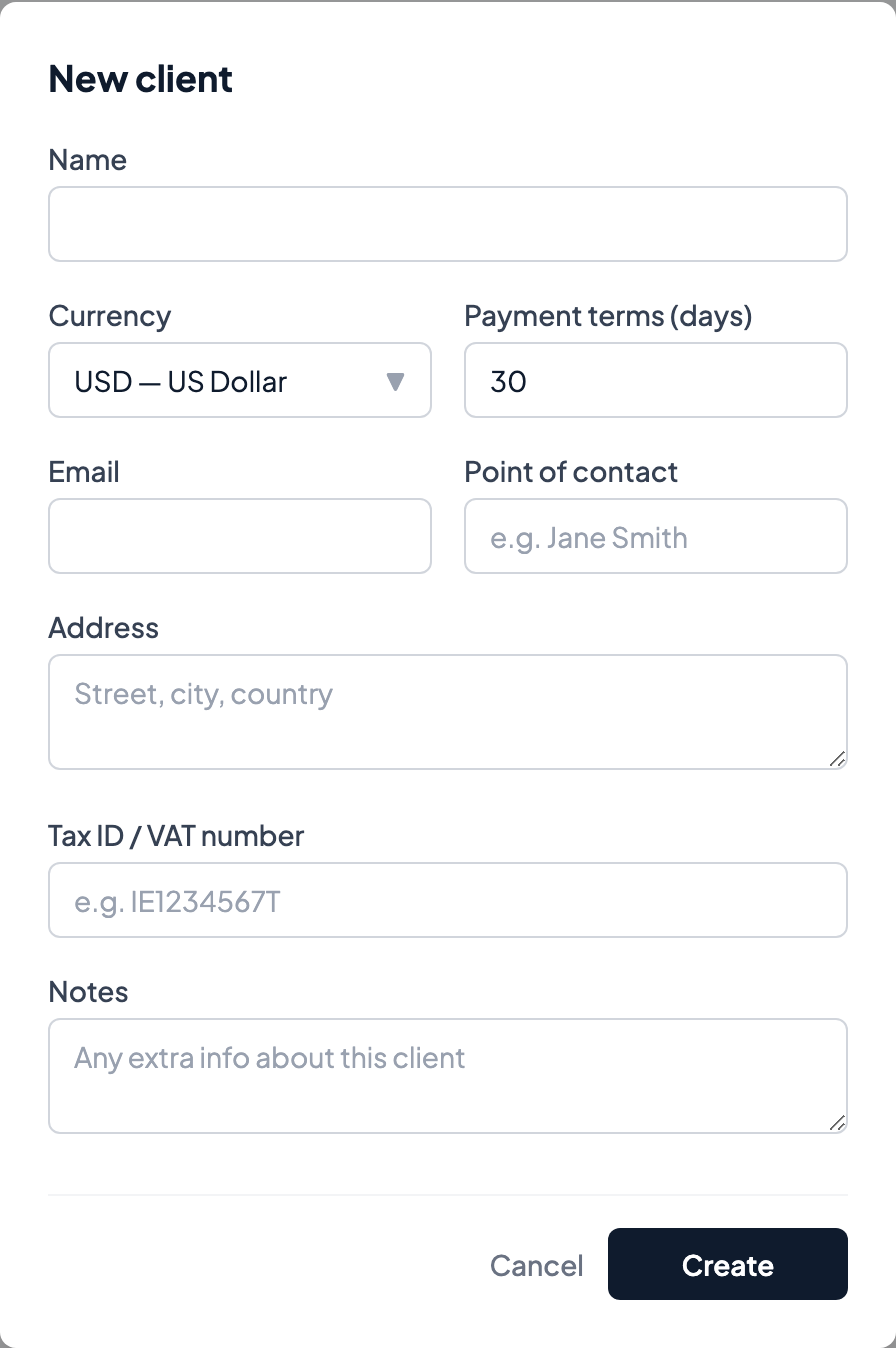
Go to Clients and click New client. Fill in:
- Name — The company or person you're billing.
- Email — Where invoices get sent.
- Currency — What you invoice them in: USD, GBP, EUR, or any other currency.
- Payment terms — Net 15, Net 30, Net 45, Net 60, or Due on receipt. The due date on every invoice calculates from this.
- Address — Appears on the invoice PDF. Optional but looks professional.
- Notes — Internal notes for your reference. Not shown on invoices.
Shortcut: upload one of their invoices
If you already have a past invoice to this client as a PDF, upload it from the new-client screen and Fieldfare will pre-fill the fields by reading the file — name, address, contact details, sometimes their tax ID. Review everything before saving. This is the fastest way to migrate a client list from another tool.
Why currency is per-client
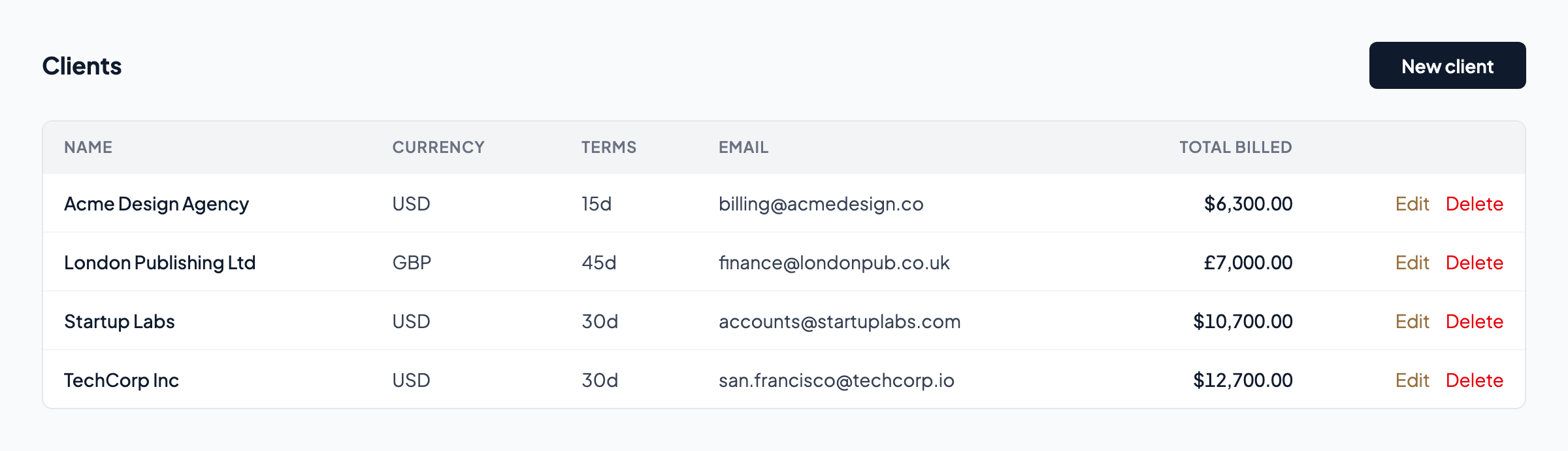
A client always pays in the same currency. TechCorp pays in USD. London Publishing pays in GBP. When you create an invoice for either one, the currency is set automatically. You never have to think about it.
This currency is immutable on existing invoices. If a client switches from paying you in USD to EUR (rare, but it happens), the cleanest approach is to create a new client record. Old invoices and their payment history keep their original currency, which keeps your FX calculations and P&L accurate.
Payment terms
Set default payment terms in Settings. This applies to new clients automatically. Each client can override the default. Most freelance work uses Net 30, but enterprise clients sometimes require Net 45 or Net 60.
The due date on every new invoice is calculated from the invoice date plus the client's payment terms. You can always override the due date on individual invoices if needed.
Editing, archiving, and deleting
Edit a client's details anytime: name, email, address, notes, and payment terms can all be updated. Currency can be changed on clients with no existing invoices; once you've invoiced a client, their currency is locked to keep your records consistent.
Archive (Pro only) — Hides a client from your active list without affecting any of their invoices or payment history. Use this for former clients you don't want cluttering the list but whose historical data you need in your P&L. An archived client can be restored at any time.
Delete removes a client you've never invoiced — useful for cleaning up typos or test entries. Once a client has any invoices attached, they can only be archived, not deleted, so your financial history stays intact.
On the free tier, you have 3 active client slots. Archiving frees a slot on Pro but not on Free, since archive is a Pro feature. If you need more than 3 clients, upgrade to Pro.